Help
Help
More help for the Help is on the way. Meanwhile, here's a start.
- What's the first thing I should try?
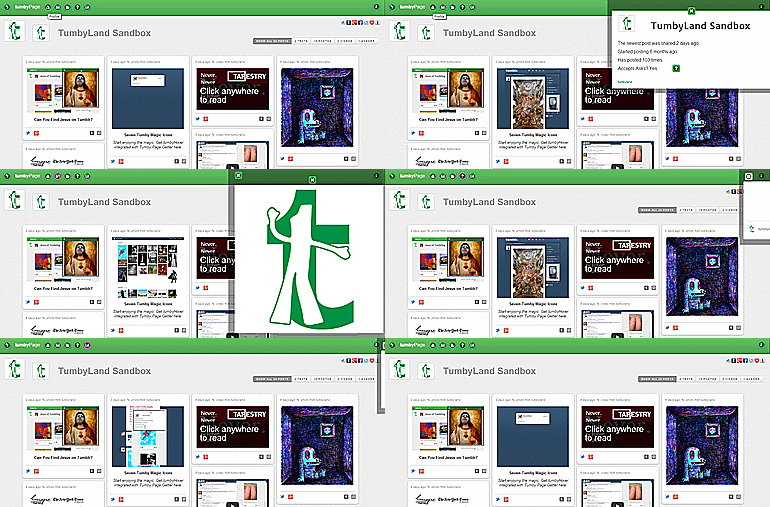
- Go to your Dashboard. Hover over the Tumblr's avatar that's at the top-left of the first post there. You'll get a viewer window that you can independently scroll. It's a digest of that Tumblr's newest five posts plus some other nifty stuff you can get to by clicking on the three bar menu icon there. Like what? You can click the plus icon on any digest card and it will expand to display the entire post. You can use the pagination to view every post ever added to that blog. You can click any image to embiggen in its own tab. And, plenty more too. Cool, eh?
- What's the best way to drive when tumbyHover is on?
- Stay in the right or left lane to avoid unintentional triggering of links—especially when scrolling. Otherwise, you may be hovering over a valid link which open its viewer window.
- How do I turn tumbHover "On" from my Dashboard?
- Click the Tumby icon in the address bar when you're on your Dashboad page. Use the dropdown and Save the setting. That's it.
-

- What else can I hover over to load that cool viewer window?
- Virtually any avatar or text link to a Tumblr—in lots of places.
Experiment. It works in so many places inside Tumblr and in other apps too. - Here's a tumbyHover action in the Dashboard on the notes of a post.
- Here's a tumbyHover action on a Twitter profile.
- Why do I get a delay sometimes?
- There's a built in two-second delay in all cases. Your first load of a viewer window in any session will be a bit slower than the subsequent ones. Some Tumblrs have heavier content and can lag a bit. Sometimes, a Tumblr is just broken, down, or gone so it won't load at all.
- Hover over the link again to trigger a reload. That's often a fix—especially if you see a vaild avatar and title but no posts.
- Can I reposition the viewer window?
- Yes. Grab an edge and drag and drop.
- How do I reset the viewer window so it's centered on my screen?
- Refresh your page.
- Can I change the height of the viewer window?
- The viewer window automatically resizes with the main window. There is no manual resizing required.
- What if I hover over another avatar or name while my viewer window is open?
- The viewer window will show the new results from the new hover action. You don't need to close the viewer window. This means you can go incredibly fast with the right mix of screen size and layout.
- How do I close my viewer window?
- Click outside the wiewer window or click on the very edge of the viewer window itself. If it seems stuck, then click another avatar or text link and it will reset. Then, close normally.
- Can I temporarily disable tumbyHover?
- Yes. Click the Tumby icon in your address bar for an option to quickly turn it on or off when you're on a Tumblr Dashboard page. The tumbyPageGetter action remains on. Go to the Extensions page or right-click on the Tumby icon and use "Manage" to disable both.
- Do I need to be on my Dashboard to use the tumbyHover action?
- Nope. You can use the tumbyHover action for Notes and other name links on any Tumblr to see the magic.
- Does tumbyHover work on Tumblr's sponsored stuff?
- Yep.
- Why are two Tumby icons showing in my address bar?
- You have both tumbyPageGetter and tumbyHover extensions installed. All of tumbyPageGetter's features are incorporated into tumbyHover so you can uninstall one or the other.
- What do I do if tumbyHover crashes?
- Reload the extension by clicking on the crash notification. Then, reload the page. In some cases, you may need to reload on the Extensions page.
- Are you collecting any of my personal data?
- No. None. Never.
- What about those permissions your extension needs to run?
- Here's a great explanation of Chrome Extension permissions at Lifehacker.
- tumbyPageGetter
- Click the Tumby icon in the address bar when you're on any Tumblr's native page to automagically create its tumbyPage.
-